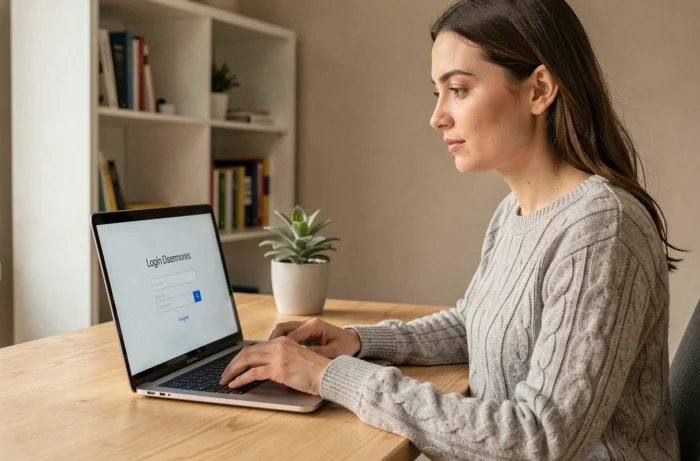
We accompany a loved one under a protective measure and seek to consult their online accounts. We type “download Mon Proxima” into Google, and nothing appears on the App Store or Google Play. That’s normal: Mon Proxima is not a mobile application to install. It is a web portal, accessible from a browser, designed by the publisher of the Proxima software used by judicial representatives for the protection of adults.
Consultation Rights in Mon Proxima: Guardianship, Curatorship, and Real Limits
Before even discussing login, the question that blocks most families concerns the scope of visibility. Not all users access the same information in Mon Proxima, and it is the judicial representative who sets these rights.
In guardianship, the protected adult loses the exercise of their civil rights over day-to-day management. The guardian (professional or family) manages the case in Proxima and can open a consultative access for a loved one. This access generally allows for viewing classified documents and account statements, without the possibility of modification.
In curatorship, the situation differs. The adult retains some of their legal autonomy. The curator assists rather than represents. Specifically, the scope of consultation depends on the type of curatorship (simple or reinforced) and what the judge has ordered. A reinforced curatorship is closer to guardianship for account management, while a simple curatorship allows more latitude for the adult themselves.
A detailed guide explains how to download Mon Proxima and access my account, particularly addressing the role of the representative in activating the space.
Feedback varies on this point, but several families report that the representative can restrict visibility to certain documents only. If a broader access is desired, a written request must be made to the representative, or even the guardianship judge can be contacted in case of an unmotivated refusal.

Logging into Mon Proxima from a Browser: The Concrete Steps
Open a web browser (Chrome, Firefox, Safari, Edge) and go to monproxima.fr. No installation is needed, no download. The platform works on computer, tablet, or smartphone, as long as the browser is up to date.
Obtaining Your Login Credentials
It is the representative or the guardianship service that provides the credentials. You do not create an account yourself. The process is as follows:
- The judicial representative opens the file of the protected adult in the Proxima software, on the professional side.
- They generate access to the Mon Proxima portal for the relative or authorized caregiver, with a username and a temporary password.
- The relative receives this information (by mail, email, or handed over in person according to the service’s practices) and logs in for the first time.
If the representative does not spontaneously offer this access, it can be requested in writing by reminding them of the family relationship and the ongoing protective measure.
First Login and Password Change
During the first login, the platform asks to change the temporary password. You choose a personal password, long enough, avoiding obvious combinations. This step conditions the security of the space for the entire duration of the measure.
Security of the Mon Proxima Space on a Shared Device
In many situations, the protected adult does not have a personal device. A shared tablet in a nursing home, a family computer, or a caregiver’s workstation is then used. This context imposes some reflexes that classic guides rarely mention.
Always log out after each consultation. On a shared device, staying logged in exposes the financial and personal data of the adult to anyone who uses the same device afterward.
Regularly check the phone number or email address associated with the account. If authentication is done via a code sent by SMS, an unreported change of number can block access. It is advisable to check this parameter every quarter.
On a tablet, creating a shortcut to monproxima.fr on the home screen simplifies the operation for someone not comfortable with digital tools. On both Android and iOS, the “Add to Home Screen” function of the browser generates an icon that looks like an application, without being one.
Management Account and Supporting Documents: What Changes with the Civil Calendar
The documentary organization in Mon Proxima directly depends on the regulatory framework. The management account is now aligned with the calendar year, from January 1 to December 31. Supporting documents must be submitted before December 31 of the following year.
This constraint affects guardianship, reinforced curatorship, and special mandate protection, including for modest estates. In practice, this means that documents submitted in Mon Proxima (invoices, bank statements, tax notices) must be classified continuously, not grouped at the last minute.
For a relative consulting the space, this organization facilitates monitoring. Unusual expenses or missing supporting documents can be spotted more quickly. The representative, for their part, can request additional documents via the platform before submission to the judge.
Check the Completeness of the File
Some elements to monitor in the consultation space:
- Are all monthly bank statements present for the current year?
- Are recurring charge invoices (rent, health insurance, utilities) included in the classification?
- Are any notarial acts or court decisions attached to the file?
A well-maintained file in Mon Proxima reduces back-and-forth with the representative and speeds up validation by the chief clerk or the director of registry services.
The Mon Proxima portal remains a consultation tool, not an active management one. Banking operations, asset arbitrations, and legal decisions always go through the representative. Keeping this distinction in mind avoids misunderstandings about what the platform actually allows you to do.