
A free online educational game is a web application accessible without download or registration, designed to develop a school skill (reading, math, logic) through game mechanics. The advertised free access often masks very different realities: some sites are funded by advertising, while others offer partial access before switching to a subscription model. Distinguishing truly free platforms from freemium models is the first reflex to adopt before allowing a child to navigate alone.
Free, freemium, or ad-supported: understanding the economic model
Behind the word “free,” three models coexist. Confusing them exposes a child to commercial solicitations disguised as educational content.
The first model is total free access with no strings attached. Sites like Pepit.be or HelpfulGames operate without advertising, user accounts, or content limitations. HelpfulGames offers over 200 games covering 26 school subjects, all accessible directly in the browser. Pepit.be features more than 1,250 exercises. These platforms are generally maintained by teachers or associations.
The second model, freemium, offers limited access and then locks advanced levels behind a payment. Starfall, ABCya, Funbrain, or Cool Math Games operate on this principle. The child starts playing, progresses, and then hits a paywall. For a parent looking for a sustainable solution, this can lead to frustration.
The third model relies on advertising. The content is accessible, but banners or interstitial videos interrupt the session. On a touchscreen, a five-year-old can easily click on an ad by mistake. Before recommending a site, it’s worth testing it yourself for a few minutes to discover online educational games that truly correspond to a no-trap free access.
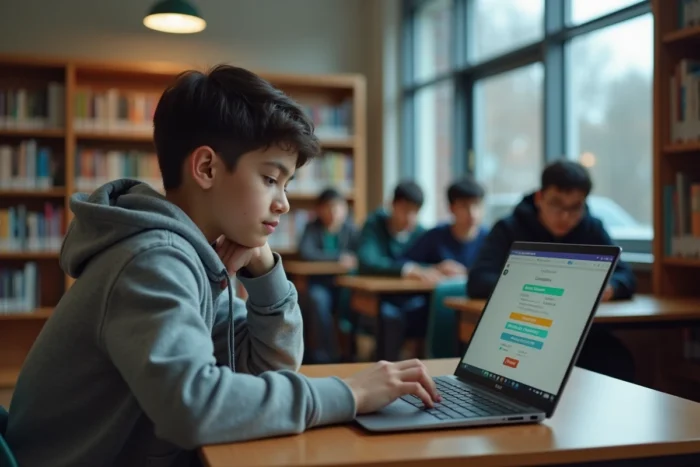
Web educational games or mobile applications: how each medium changes things
Competitors list websites without ever addressing the issue of the medium. An educational game on a browser and a mobile application do not offer the same experience, nor the same privacy guarantees.
On a browser, platforms like LogicielEducatif.fr or Tidou.fr require no installation. The advantage is immediate: no storage consumed, no updates, and simpler parental control since the activity remains in the browser. LogicielEducatif.fr was designed by a specialized teacher, and the games are regularly adjusted based on feedback from teachers and parents.
On mobile, a new generation of applications stands out for its strict respect for privacy. The app “Games for Kids: Ages 3 to 7” (available on Google Play) offers 25 activities covering colors, shapes, numbers, logic, and coordination, without advertising, without account creation, and without subscription. This type of application almost never appears in French-speaking selections, which remain focused on web games.
The choice between web and mobile depends on the context of use:
- In class or in a library, the browser remains the standard because it works on any device, without installation rights.
- In a car or waiting room, an offline mobile application (after initial download) avoids dependence on the network.
- At home, both work, but the browser allows parents to monitor activity from the history without third-party tools.
Age groups and progression: adapting the game to the child’s actual level
An educational game that is too simple is boring. Too difficult, it discourages. Most platforms segment by age group, but this segmentation is not always sufficient.
Tidou.fr divides its catalog into three levels: 2-4 years (visual recognition, fine motor skills), 4-6 years (pre-reading, counting), and 7-10 years (mental math, grammar, logic). This progression by levels reflects the French school cycles, making it easier for a parent or teacher to navigate.
Lululataupe.com targets a similar audience with games classified by skill rather than just by age. A six-year-old who already masters reading can access logic exercises normally offered to seven- to eight-year-olds. This skill-based approach is more nuanced than simple segmentation by birth year.

For middle and high school students, Lumni.fr (a France Télévisions platform) offers videos, quizzes, and games aligned with the national education curriculum, from CP to terminale. The content is structured by grade and subject, with revision modules for the brevet and baccalauréat.
Little-known international free platforms in France
French-speaking selections revolve around a dozen recurring sites. Several international platforms, completely free, remain largely ignored.
HelpfulGames covers over 2,000 levels across 26 subjects, from mathematics to geography to science. The interface is in English, which may be a barrier for younger children but an asset for middle school students working on their English comprehension in parallel.
Blockly Games, developed by Google, teaches the basics of programming through visual puzzles. Code.org follows a similar logic with guided pathways. Both platforms are free without restrictions and without advertising. NASA Kids’ Club, aimed at children curious about science and space, offers interactive activities without registration.
- HelpfulGames: mathematics, science, geography, languages (English).
- Blockly Games and Code.org: introduction to programming through visual blocks.
- NASA Kids’ Club: science, astronomy, interactive activities.
These resources complement French-speaking platforms without replacing them. An eight-year-old can alternate between Tidou.fr for mental math in French and Blockly Games to discover algorithmic logic.
The most reliable criterion for evaluating an online educational game remains its transparency: no mandatory account, no targeted advertising, no locked content after three sessions. Platforms that meet these three conditions are fewer than one might think, but they exist and cover all school cycles, from kindergarten to high school.